 Free on WordPress.org
v1.1 out now
Your Media Library, finally tidy.
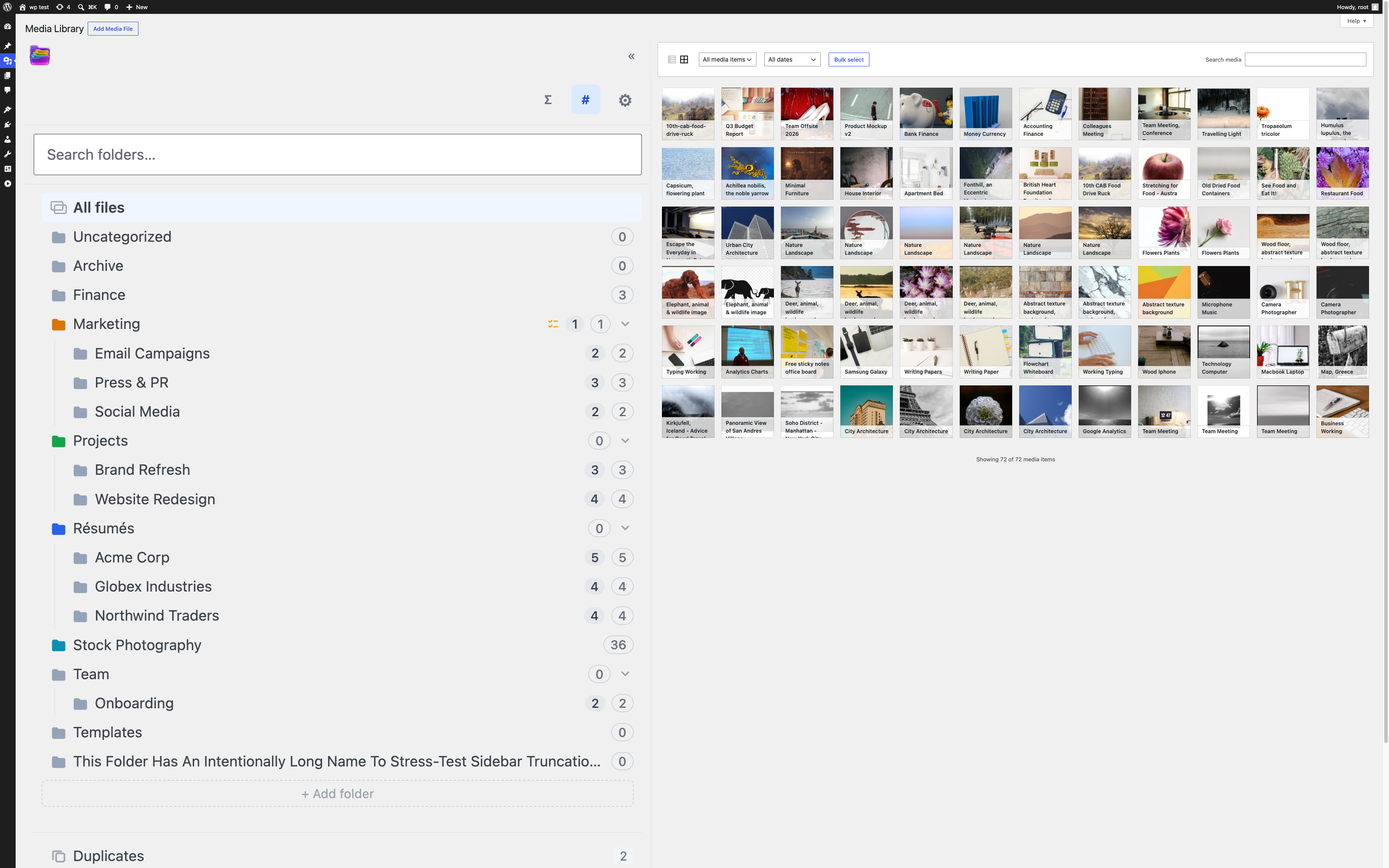
Jelly Folders drops a real folder tree into upload.php. Drag files in, nest as deep as you like, colour-code everything — and nothing ever moves on disk.
No folder cap · No upload cap · Works on unlimited sites
Nothing moves on disk
Folders are taxonomy terms, so every URL, srcset and CDN cache stays exactly as it was. Reorganise as many files as you like without breaking a link.
Right where you work
A sidebar beside the core WordPress grid — plus the same folder browser in WordPress's media modal when you insert media in the block editor.
Free means free
Unlimited folders, unlimited nesting, unlimited sites, no trial clock. Pro adds power tools — they don't unlock the basics.
A colour for every client, campaign and year
Four presets free, the full 16-colour palette plus a custom HEX picker in Pro. Nest as deep as you need — the sidebar keeps its width and collapsed state for each user.
Start free. Upgrade when you need more.
The free plugin is the whole folder experience on as many sites as you like — not a demo. Pro adds the organising power tools and the team and agency controls, in three licences. It is billed yearly, with a lifetime licence as an alternative.
Free
unlimited sites
No folder cap, no upload cap, no time limit
Pro
1 site
Billed yearly
14-day money-back guaranteePro
5 sites
Billed yearly
14-day money-back guaranteePro
unlimited sites
Billed yearly
14-day money-back guaranteeEverything in the box
Free
wordpress.orgPro
everything in free, plusHow Jelly Folders compares
Free next to free, and paid next to paid, against FileBird, HappyFiles and Real Media Library. Checked October 2026 against each plugin's own pages (FileBird 6.5.9, HappyFiles Pro 1.9.1, Real Media Library 4.23.7); where a page doesn't say, the cell shows a dash.
- Available, or listed on their page
- Partly or limited
- Not in the free version
- Not stated on their page
Free versus free
What you get without paying anything.
| Feature | Jelly Folders Free | FileBird Free | Real Media Library Free |
|---|---|---|---|
| Folders and nesting | UnlimitedNo folder cap, unlimited nesting | UnlimitedUnlimited main folders and subfolders | Main folders onlyUnlimited main folders; subfolders are in PRO |
| SVG upload | YesWith sanitisation; off by default, administrators only | ListedIts changelog (version 6.2.3) lists “SVG upload & sanitization” | Not stated on their page |
| Page builders | Partly SoonBlock editor (Gutenberg), through WordPress's core media modal. Third-party page builders are not tested; builders with their own media picker are not supported | PartlyCore media library, block editor and Elementor free; Elementor Pro, Divi, WPBakery, Beaver Builder and others are Pro | ListedGutenberg, Elementor, Divi, WPBakery, Beaver Builder and Visual Composer named as compatible |
| Folder colours | 4 presetsThe full palette and HEX picker are in Pro | Pro onlyColour-coded folders | Not stated on their page |
| WPML and Polylang | YesFolder names translate through WPML's config file and Polylang's filters | Pro onlyWPML and Polylang support | ListedWPML and Polylang named as compatible |
| REST API | YesFolder CRUD, tree, move | ListedIts comparison table says “API supported”, without naming REST | ListedREST API endpoints in its backend API |
| Drag and drop | Yes | Yes | Yes |
| Bulk select and move | YesIn grid and list view | Yes | Not stated on their page |
| Upload straight into a folder | YesFolder picker in the upload modal | YesDestination folder dropdown | Yes |
| Folders for posts and pages | Pro only | One levelPosts and pages get one folder level; multi-level folders and other custom post types are Pro | Not stated on their page |
| Gallery from a folder | Pro onlyGutenberg folder gallery block | YesGutenberg gallery block | YesGutenberg block or shortcode |
“Listed” means the plugin's page names it without describing how it works.
HappyFiles is not in this table because it has no free version: its page says the limited free version “has been retired in 2022” and was capped at 10 folders.
Paid versus paid
What the paid plans add, and what they cost.
| Feature | Jelly Folders Pro | FileBird Pro | HappyFiles Pro | Real Media Library Pro |
|---|---|---|---|---|
| Folders for posts, pages and custom post types | YesYou choose which post types in settings | YesPosts, pages, WooCommerce products, coupons and other custom post types | YesPosts, pages, custom post types and WooCommerce products | Not stated on their page |
| Folder colours | HEX pickerCustom HEX colour picker plus the full 16-colour palette | YesCustom folder colour (listed as PRO) | Not stated on their page | Not stated on their page |
| Smart folders | YesSaved queries by file type, age and missing alt text | ListedIts pricing page says “smart folders” without describing them | Not stated on their page | Not stated on their page |
| Gallery from a folder | YesGutenberg folder gallery block — columns, links, captions, cropping | YesGutenberg gallery block, also in Free | YesShortcode, Gutenberg block or Bricks element | YesGutenberg block or shortcode |
| ZIP export of a folder | YesNested folders included | YesA folder with its subfolders and files in one ZIP file | Not stated on their page | Not stated on their page |
| Duplicate detection | YesBy file hash; copies are listed together and you decide which to keep | Not stated on their page | Not stated on their page | Not stated on their page |
| Usage map | YesShows which posts reference an attachment | Not stated on their page | Not stated on their page | Not stated on their page |
| Media replace | YesURLs preserved, with full version history | Not stated on their page | Not stated on their page | Not stated on their page |
| Role permissions | YesPer folder, by role | Not stated on their page | Folder editingFolder editing rights can be limited to specific user roles | Not stated on their page |
| Page builders | Partly SoonBlock editor (Gutenberg), through WordPress's core media modal. Third-party page builders are not tested; builders with their own media picker are not supported | YesElementor Pro, Divi, WPBakery, Beaver Builder, Bricks, Oxygen and others supported | ListedElementor, Divi, Beaver Builder, Bricks, Oxygen, Brizy and Visual Composer | ListedGutenberg, Elementor, Divi, WPBakery, Beaver Builder and Visual Composer named as compatible |
| WPML and Polylang | YesFolder names translate through WPML's config file and Polylang's filters | YesWPML and Polylang supported | Not stated on their page | ListedWPML and Polylang named as compatible |
| Price for 1 site | $29.99 a yearOr $69.99 lifetime | $39 a yearList price $49; or $99 lifetime (list price $149) | $59 one timeOne plan, which covers unlimited sites; lifetime updates | €39 one timeLifetime licence, VAT included |
| Price for unlimited sites | $149.99 a yearOr $299.99 lifetime | $199 a yearOr $499 lifetime (list price $599) | $59 one timeThe same single plan | No unlimited planThe largest plan listed is €299 one time for 25 sites; more than 25 sites by quote. VAT included |
“Listed” means the plugin's page names it without describing how it works. Prices are as shown on each plugin's site in October 2026, in the currency it uses; Jelly Folders prices are the regular ones, before the launch code. Sources: FileBird on WordPress.org, FileBird Free vs Pro, FileBird pricing, HappyFiles (features and pricing), Real Media Library on WordPress.org, Real Media Library pricing.
FileBird, HappyFiles and Real Media Library are trademarks of their respective owners. Jelly Folders is not affiliated with them. Spot something out of date? Email info@devstine.com and we'll fix it.
For agencies and teams
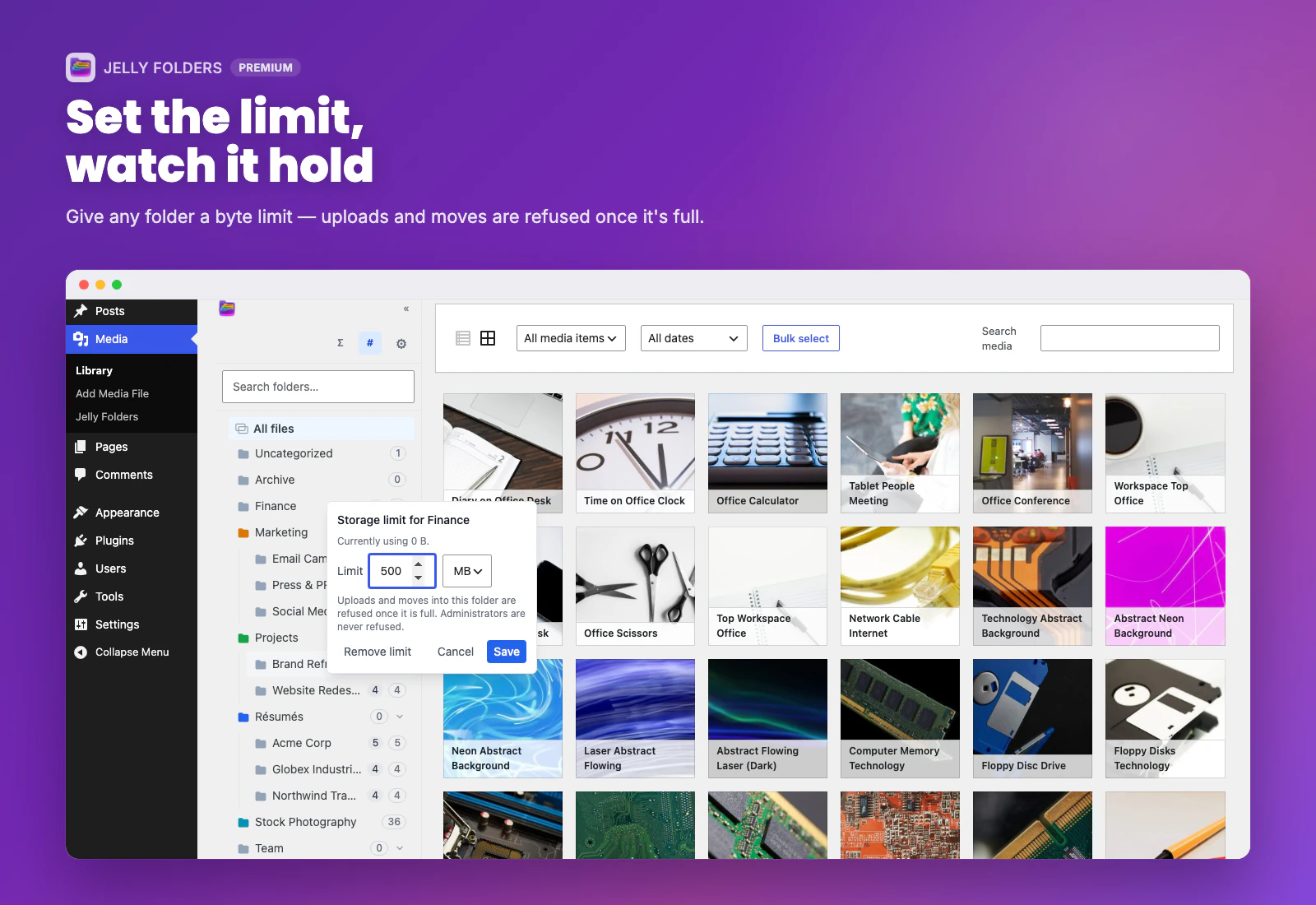
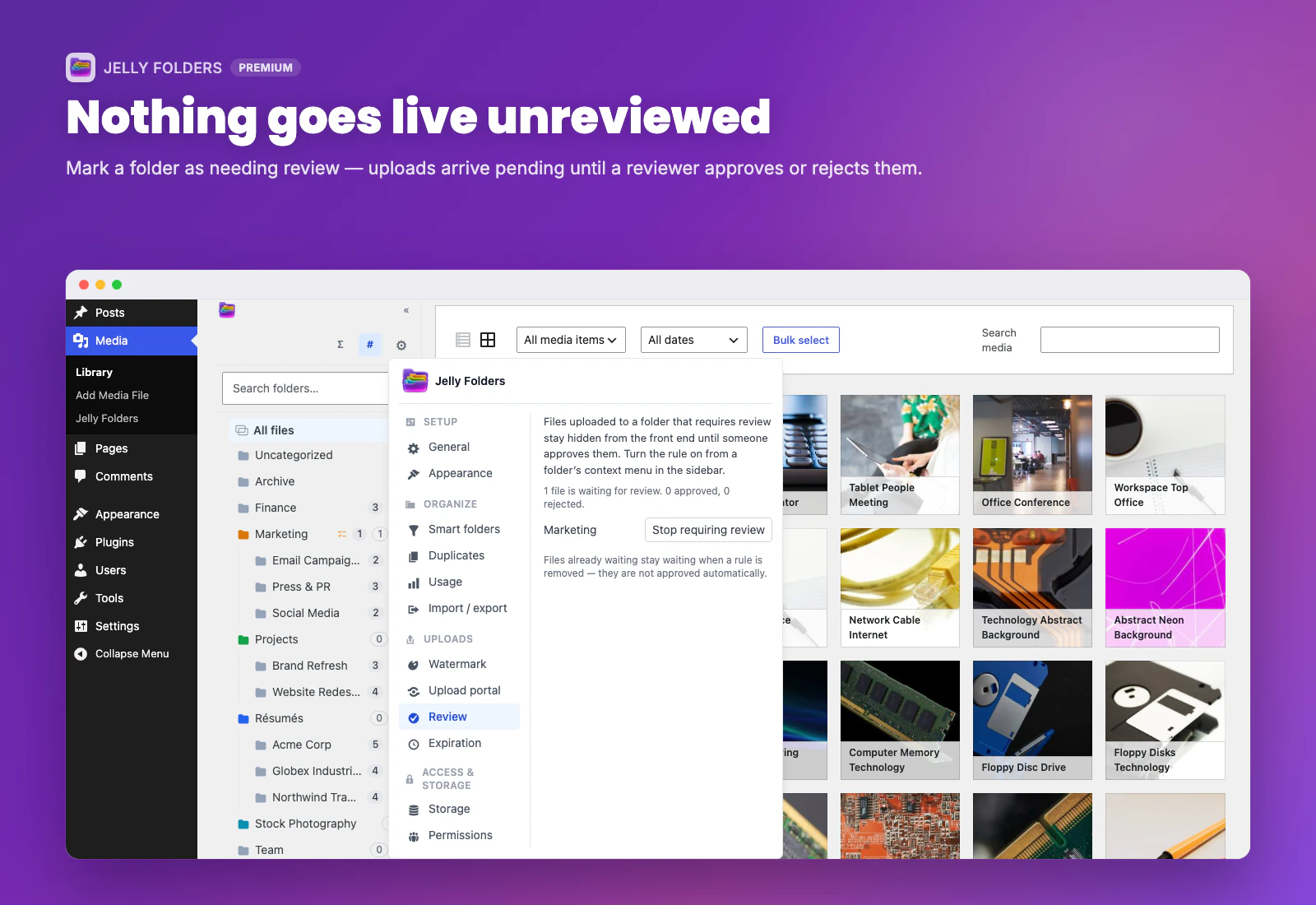
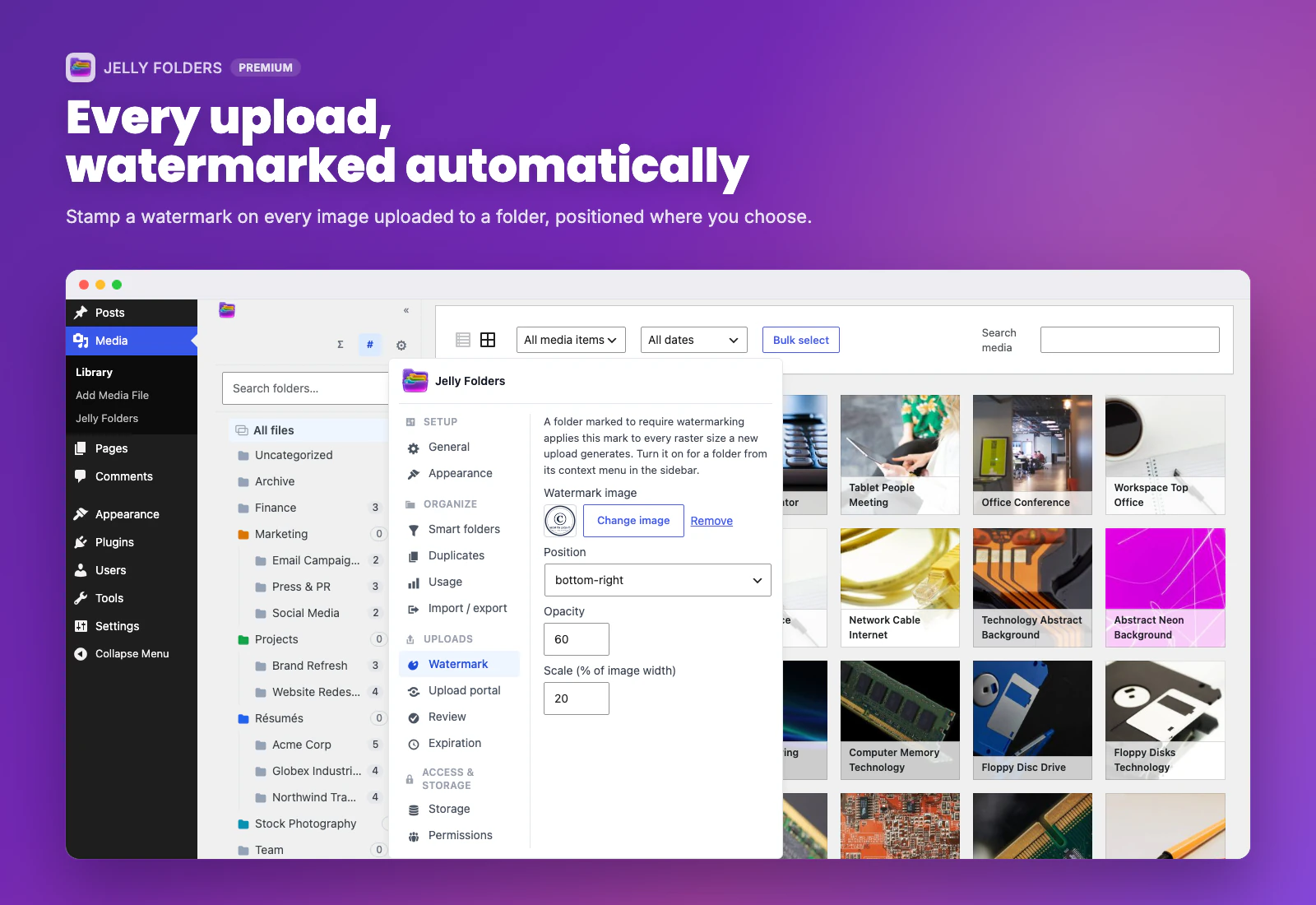
Pro includes the tools that turn a tidy library into a governed one. Click or tap any screenshot to see it full size.

Shipped, and shipping next
Small releases, often. If something here matters to you, tell me and it moves up.
Page builder support
The folder browser inside page builders' own media pickers. Not supported yet.
Cloud storage
Copy media to Amazon S3, Google Cloud Storage or Cloudflare R2 and serve it from the bucket or your own domain. Off by default, and local files are never removed.
Headless API
Read-only REST routes and WPGraphQL types for folders and their items, behind one switch. Off by default.
SVG hardening and phone folder menu
SVG files uploaded through WordPress' own upload routes are now sanitised or refused, and the folder menu stays on screen on phones and small windows.
Duplicate detection
Finds repeated uploads by file hash and lists the copies together in a Duplicates view, so you decide which to keep.
First public release
SVG upload with sanitisation, WPML and Polylang integration, RTL layout, and a reversible install — deactivate it and your Media Library is back to normal.
Insert-media picker
Upload destination picker, the folder tree inside the insert-media modal, and new-file badges per folder.
Taxonomy foundation
Folders as a WordPress taxonomy: nothing under uploads/ moves or gets renamed.
Questions people ask me
Will it move or rename my files?
Never. Folders live in a taxonomy, so every file stays exactly where WordPress put it.
What if I deactivate the plugin?
Your Media Library goes back to normal, untouched. Reactivate and your folders are still there.
Does it slow down the admin?
It hooks into the existing grid rather than replacing it, and filtering by folder is a standard WordPress taxonomy query.
Can I use it with page builders?
The folder browser lives in WordPress's core media modal, so it is there when you insert media in the block editor (Gutenberg). Third-party page builders are not tested yet, and builders that ship their own media picker are not supported.
How do folder permissions work?
They follow WordPress capabilities; Pro adds per-folder role-based rules on top.
Who supports it?
I do, personally. Free support on the WordPress.org forum, priority replies for Pro licences.
Tidy the library tonight
Install the free plugin, drag a few hundred files where they belong, and watch nothing break.